UX/UI design in Augsburg
UX/UI design in Augsburg: interfaces that simply work
For companies and start-ups who want a product their audience understands without explanation and enjoys using.
I work from Königsbrunn near Augsburg: on site in and around Augsburg, otherwise remotely across Germany. More on web design in Augsburg
Free intro call- Figma
- Prototyping
- User research
- Usability testing
- Wireframing
What's included
From research through wireframes to final interface, user-centered, accessible, on point. I guide the entire design process: from initial user analysis through iterative prototypes to pixel-perfect developer handoff.
- User Research & Interviews
- Wireframing & Prototyping
- Visual Design & UI
- Usability Testing
- Design Handoff & Dev Support
Selected work
- UX/UI
- Gamification
- Master's project
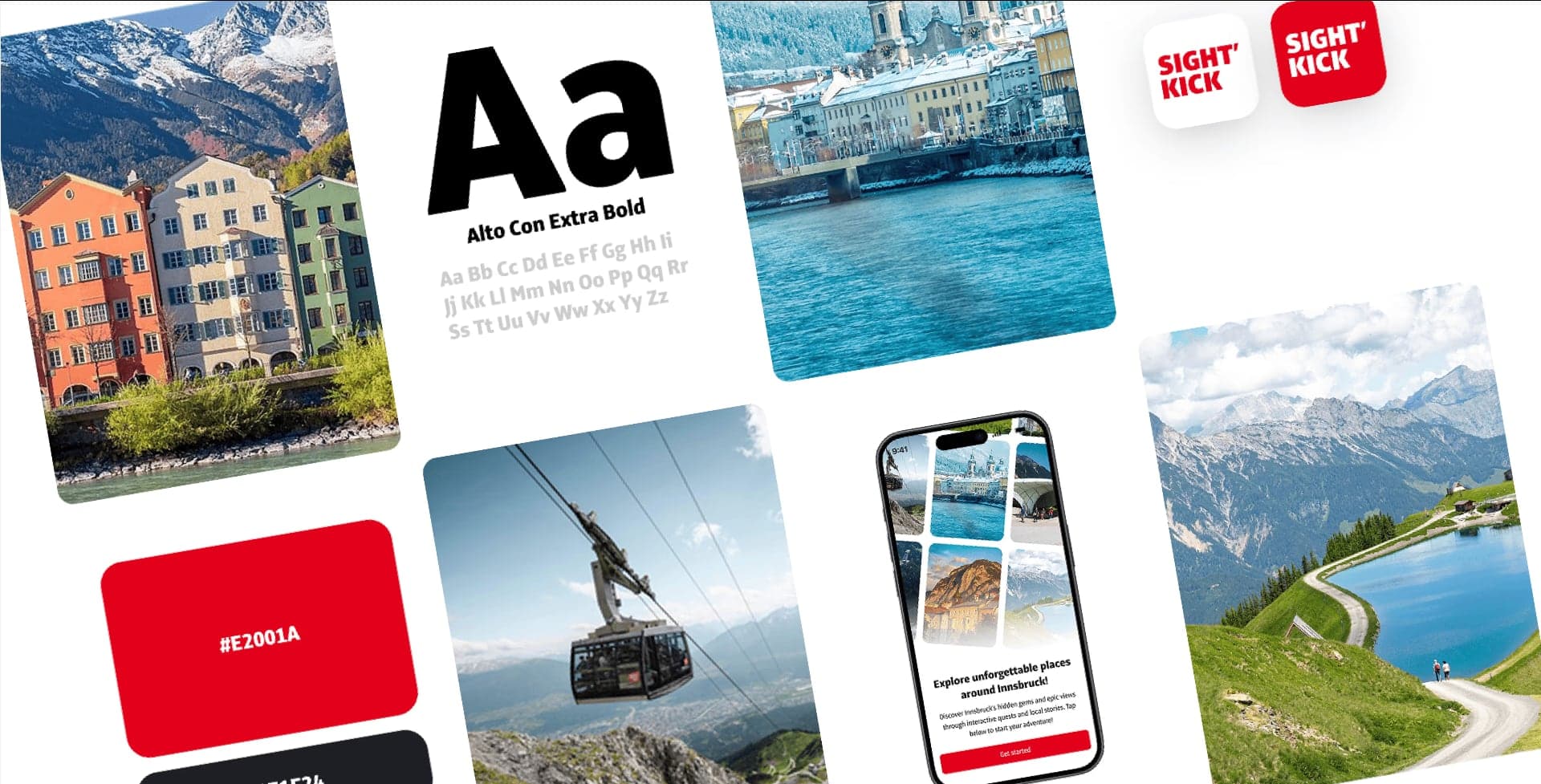
SIGHT'KICK
Gamified city discovery app for InnsbruckRead case studyFrom first idea to finished interface in 4 to 8 weeks
- Week 1
Step 1: Intro call and briefing
We clarify goals, audience and scope. I look at what already exists, and we agree on the questions the project needs to answer.
Typical outputs
- Project brief
- Timeline
- Open questions
- Weeks 1 to 2
Step 2: User research
Interviews, existing data or a quick look at competitors: as much research as the project needs, so we do not have to guess.
Typical outputs
- Personas
- User journeys
- Key insights
- Weeks 2 to 4
Step 3: Wireframes and prototype
I build the structure as wireframes and turn it into a clickable prototype. You see early how the product feels, before it needs to look polished.
Typical outputs
- Information architecture
- Wireframes
- Clickable prototype
- Weeks 4 to 7
Step 4: Visual design and testing
The interface gets colour, typography and detail. I test the key flows with real users and fix whatever gets in their way.
Typical outputs
- UI design of all screens
- Usability test
- Revisions
- Weeks 7 to 8
Step 5: Developer handoff
I prepare tidy Figma files, document states and behaviour, and stay available to the developers for questions.
Typical outputs
- Figma handoff
- Components
- Support during build
Good design starts before the first pixel.
User research
Interviews and analysis, so decisions rest on real needs rather than assumptions.
Information architecture
A clear structure that puts content where your users look for it.
Clickable prototypes
You experience flows early in Figma and give feedback before anything is coded.
Visual design
A consistent interface that fits your brand and works on every screen size.
Accessibility built in
Contrast, focus and structure following WCAG are planned in from the start.
Clean handoff
Organised files and clear notes, so developers can start without guesswork.
Packages
Two typical routes. We agree scope and price in the intro call, tailored to your project.
Compact
For a landing page, a single feature or reworking existing screens.
- Short briefing
- Wireframes of key pages
- UI design in Figma
- One round of feedback
- File handover
Comprehensive
For a new digital product or a relaunch with research and testing.
- Briefing and goal setting
- User research and personas
- Information architecture and wireframes
- Clickable prototype
- Usability test with real users
- UI design of all screens
- Handoff and support during development
Why work with me
Users first, not assumptions
I test designs early with real people, so decisions rest on what we observe rather than gut feeling.
One point of contact
You talk to me from the first idea to launch, with no hand-offs and nothing lost in translation.
Honest advice
I tell you openly what is worth doing and what is not, even if that means a smaller job for me.
On site and remote
In and around Augsburg we can meet in person; elsewhere in Germany we work easily over video.
Tools
- Figma
- Lovable
- Claude
- Affinity
Frequently asked questions
All FAQsHow much does UX/UI design cost?
It depends on the scope: the number of screens, the research needed and testing. After the free intro call you get a concrete quote with a clearly defined scope.
Do I really need user research?
Not always on a large scale. A handful of conversations with real users often shows where things go wrong. I suggest as much research as your project needs, and no more.
What do I need to bring?
A goal, your target audience and existing material such as copy, logo or current designs. A fixed contact person who can give feedback quickly helps a lot.
Do you also build the design?
Yes, I build websites directly in Webflow. For apps or custom software I hand over clean Figma files to your development team and support the build.
Do you work on site in Augsburg?
I am happy to run workshops and user interviews on site in and around Augsburg. Everything else runs remotely with regular check-ins, which works well across Germany.
Related services
Interested in UX/UI design?
In a free, no-obligation intro call we work out what you need and how I can help.
Free intro call